


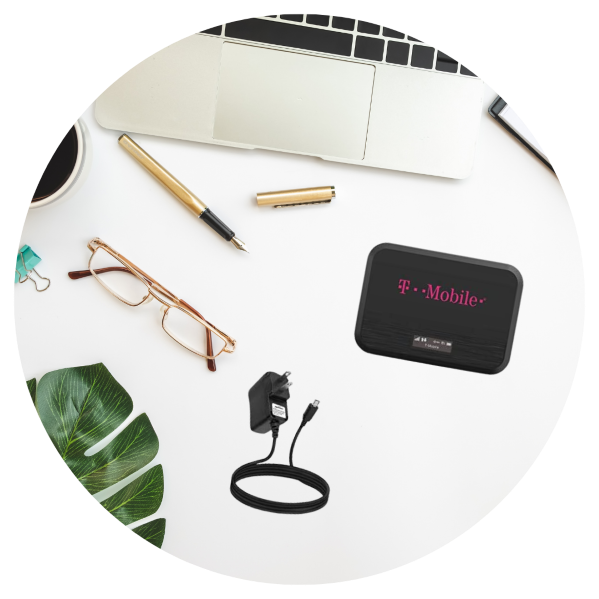
 The Alhambra Library offers Wi-Fi Hotspot Checkouts for free!
A Wi-Fi hotspot is a mobile pocket-sized device. It uses Wi-Fi to connect up to 15 devices to the internet without having to plug into anything. Examples of devices that can be used on a Wi-Fi hotspot are, Chromebooks, smartphones, iPads, tablets etc.
HOW TO CHECK OUT A HOTSPOT KIT & REQUIREMENTS
In order to check out a Hotspot Kit, visit the Check Out Desk to check for availability. To check out, patrons must:
- Provide a valid Driver's License or Government issued photo ID
- Have a valid/in good standing full-access Alhambra Library card (no computer use cards)
- Be 18 years or older
- Sign a User Agreement Form which will be kept on file until the device is returned and examined for good condition
CHECKOUT LOAN PERIOD
The checkout period is 3 weeks for each kit. Patrons are allowed one 3-week renewal if no one has requested the kit. Incurs a late fine of $1.00 per day. If a device is returned 1 week past its due date, the service will be disconnected, and the borrower will be charged a $35 reactivation fee.
HOW TO RETURN A HOTSPOT KIT
Hotspot Kits must be returned IN-PERSON during open business hours at the Check Out Desk and handed to a staff member. Devices may NOT be returned to the drop-boxes.
DEVICE INFORMATION
Most of our hotspot devices are the Franklin T10 model. A few are the T9 model which differs in a slightly slower Wi-Fi connection and it uses micro-USB charging, whereas the T10 model uses USB-C charging.
Specifications:
- Portable 4G LTE mobile hotspot from T-Mobile.
- Connects up to 15 devices.
- 3,000 mAh battery (about 9–12 hours of use).
- Wi-Fi 5 (802.11ac) dual-band (2.4GHz & 5GHz).
- USB-C charging (some models use micro-USB).
- Compact and lightweight (3.7 oz).
A HOTSPOT KIT INCLUDES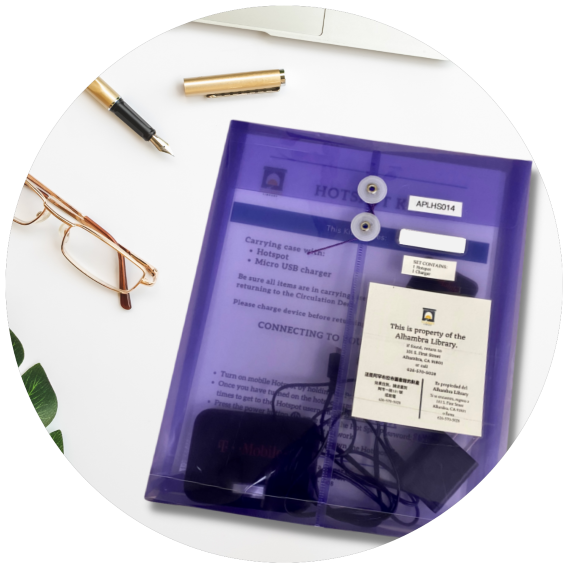
- Hotspot
- Hotspot Charger
- Instructions (English, Spanish, Mandarin Chinese)